So, here’s my first attempt at a booktok trailer, just like all the scammers keep wanting me to buy from them.
Category: Tools
From OpenSCAD to Godot
There was a question on Bluesky how the import works, so here’s a bit of an explanation. But if you’re going to do this, have Claude Code or the like set it up for you. It will save you a good portion of your life.
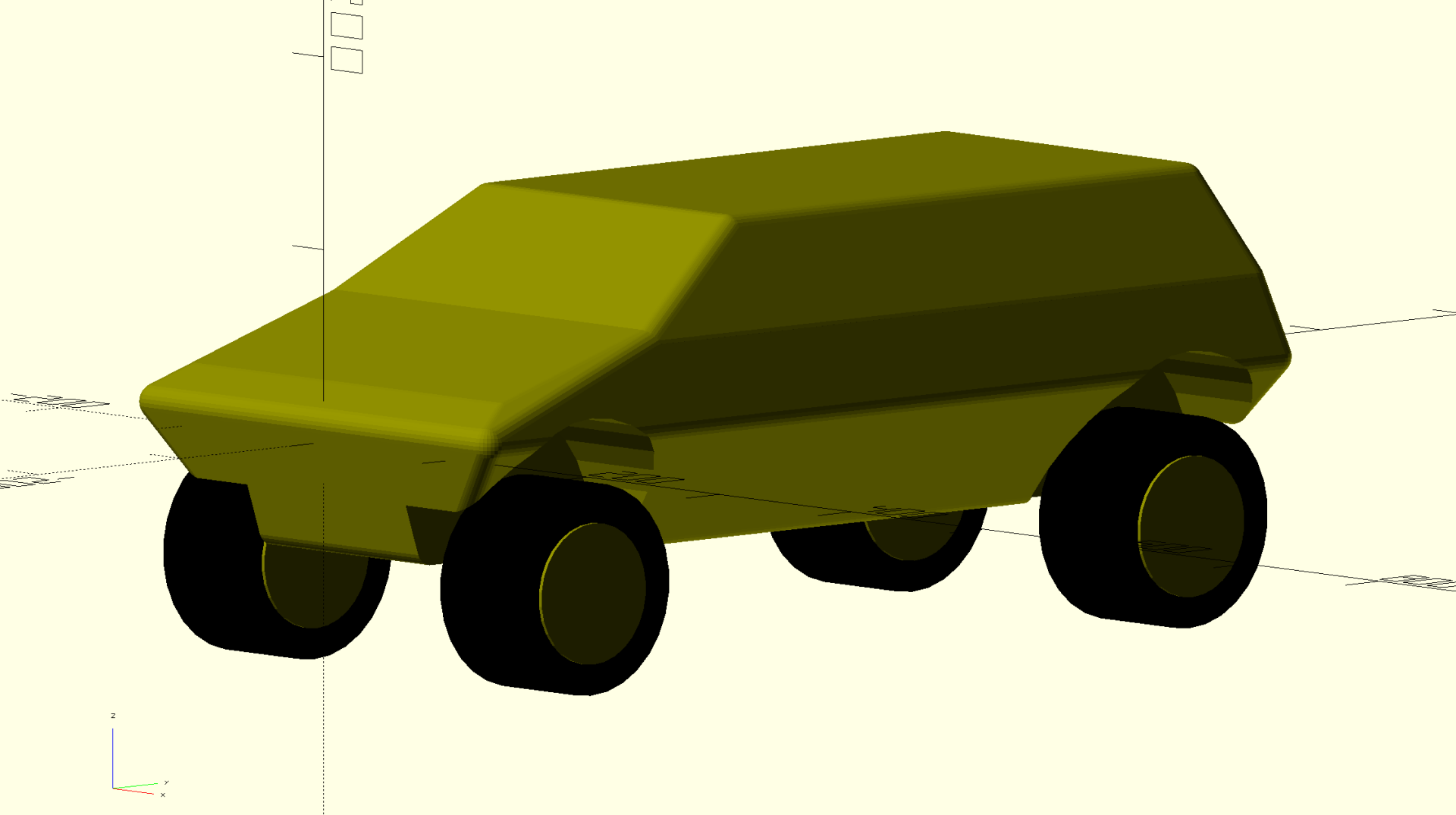
So far, every vehicle in the tool starts life as a parametric OpenSCAD model.
– Droopy
– Cargo mover
– Landing Barge
– Utility Vehicle
– “A Really Big Tank”
The CAD file is the master. I scripted-reimport the openSCAD when I change things Getting there takes one command per vehicle and Claude Code does a whole bunch of checking if turrets clear and whatnot.
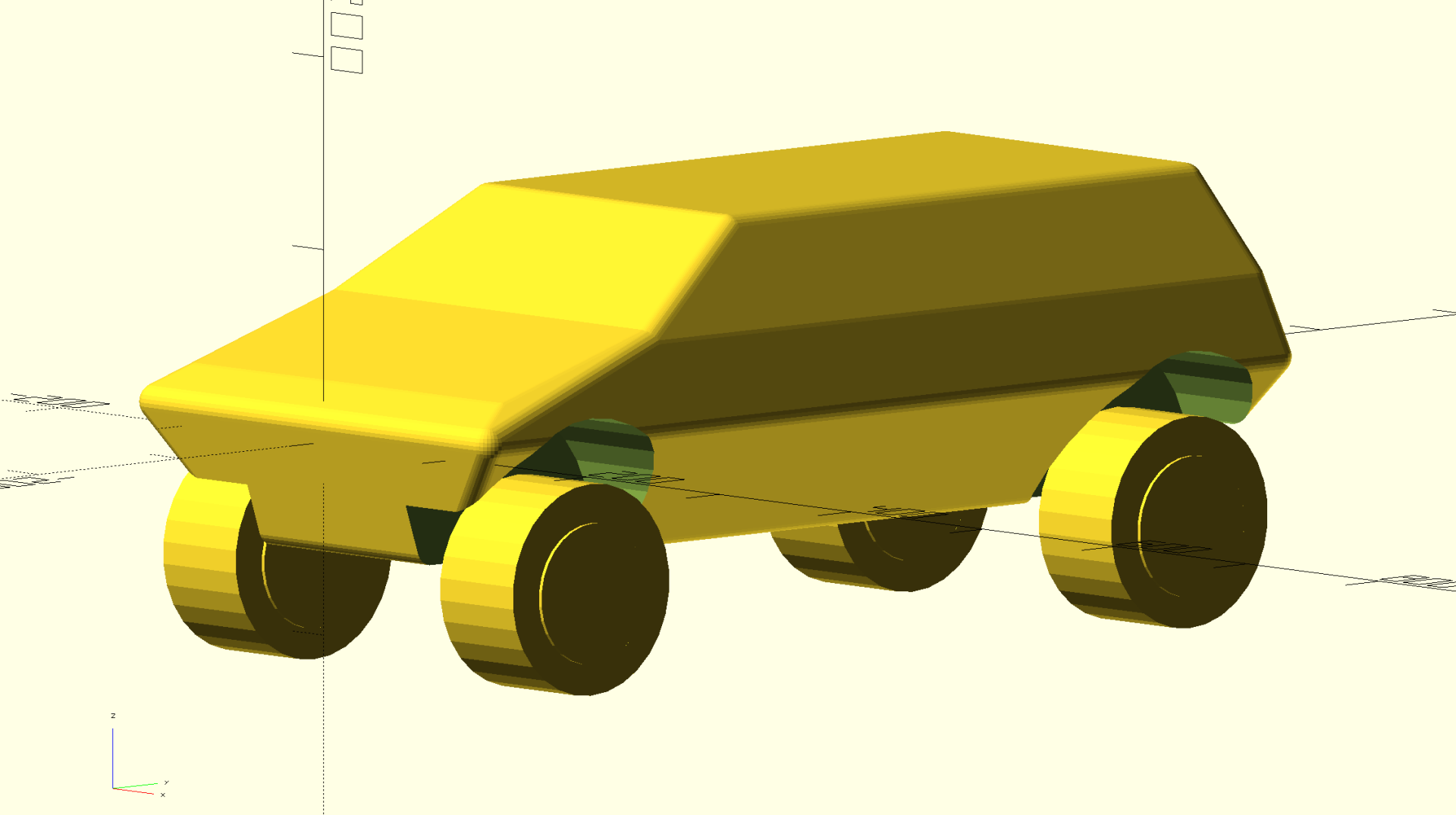
- Each vehicle has a JSON manifest in the game’s pack. It names the source file and its includes, the units (the CAD is in millimetres or centimetres, the game in metres) and which way is up and forward. Then it lists the parts: the hull, the ramp, turrets, wheels, etc.A part is a SCAD expression the source’s own modules draw, rearramp() or turret(), plus a colour group and, for anything that moves, a joint: the pivot, the axis, the range, and named states like down and stowed. Where a number is needed, a pivot or an angle, it’s written as an expression in the source’s own variables.
- The importer pulls the source over the network from the manuscript’s mirror.
- Export part by part. OpenSCAD’s CGAL unions are slow: a whole model takes close to a minute, its individual parts seconds. So the tool generates a driver per part that uses the source, repeats its top-level assignments so expressions can name them, and exports each part on its own. A part placed by a transform (the turrets’ translate/rotate/mirror) has that transform measured off four marker cubes exported through it, so pivots and axes can be given in the module’s own frame.
- Proof. This is the step where Claude Code earns its keep. Every joint state that has its own SCAD, e.g. the ramp drawn “down”, is checked against the rest mesh turned about the pivot by the state’s angle. A wrong pivot or a wrong sign fails the import. Then the parts, posed as the composition poses them, are compared against the model exported whole.
- Clean up in Blender. The same script runs headless in Blender: the CGAL facets are welded into a mesh with its normals checked outward, the frame turned to glTF’s conventions, the scale set to metres, smooth shading split at 30 degrees. UVs are a box projection in metres across the whole vehicle at rest, so a texture, or a camouflage pattern, lands at true scale and continues across parts. Each colour group becomes a material; each part becomes a named node, a moving part’s origin on its pivot.
- Write the asset and its sidecar. Out comes a .glb and a sidecar JSON: every node, its joint in the glTF frame, the named states, the materials and their roles, markers such as where the EM drives sit, the gun mounts with their limits, the proofs’ numbers and the source’s hash. Plus a provenance entry in the pack, so a check can later tell whether the asset still matches its source. The whole thing is deterministic: the same source and manifest write the same bytes, and a –check mode rebuilds to scratch and compares.
- Godot reads the sidecar. On the engine side there is one class for every imported vehicle. It never names the barge or the Droopy; what a model has, what moves, about what and how far, is all its sidecar’s. Each part becomes a mesh at its place; a joint becomes a node on its pivot that hinges, steers or spins. A material whose role is “paint” gets the hull shader, which paints camouflage in the asset’s own frame at true scale, and a moving part carries its paint with it. Each part’s own triangles become collision, on a body that moves with the joint, so a lowered ramp can be walked up and a hold stood in. Gun mounts become turrets that traverse and elevate within the set limits that were computed from the CAD so a gun never passes through its own hull and its bullets can’t hit itself.
- A physics stand-in takes the parts as convex hulls, with the mass, centre of mass and inertia the vehicle’s record gives. That way a laden truck settles on its springs and the barge flies like a dead elephant.
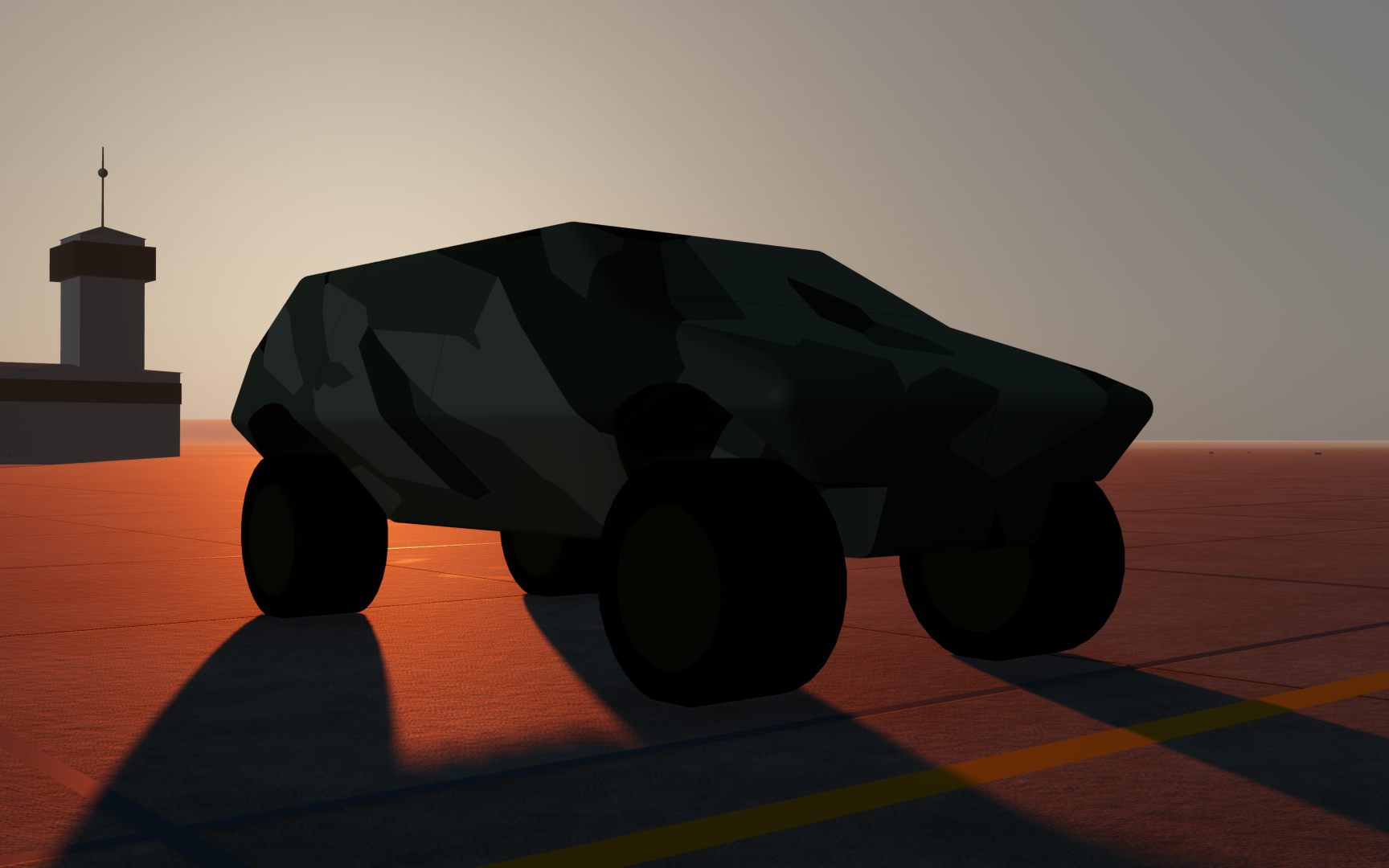
Obviously, this one hasn’t had much detail work done on the OpenSCAD, but you get the idea.
Finally, Relief
Since I was already using OGIS height information, the step to rendering those height differences wasn’t huge. Getting editing tools working the way I want, was somewhat more complex. Still work-in-progress, but we’re making headway.
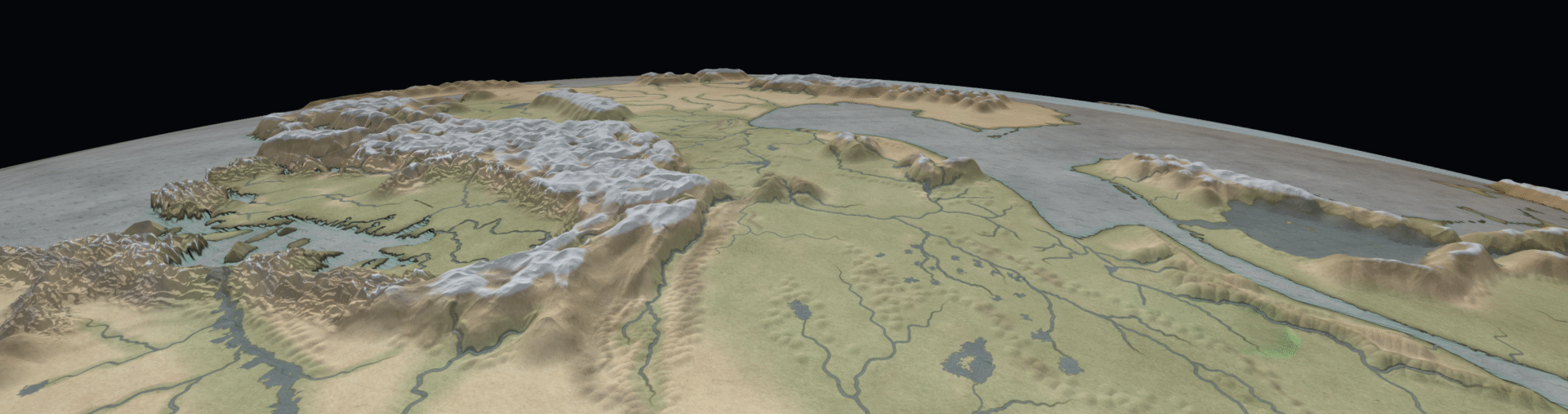
This is an overview shot, with the relief exagerated by something like 15 times to make it visible on a global scale. You can change the exageration on the fly.
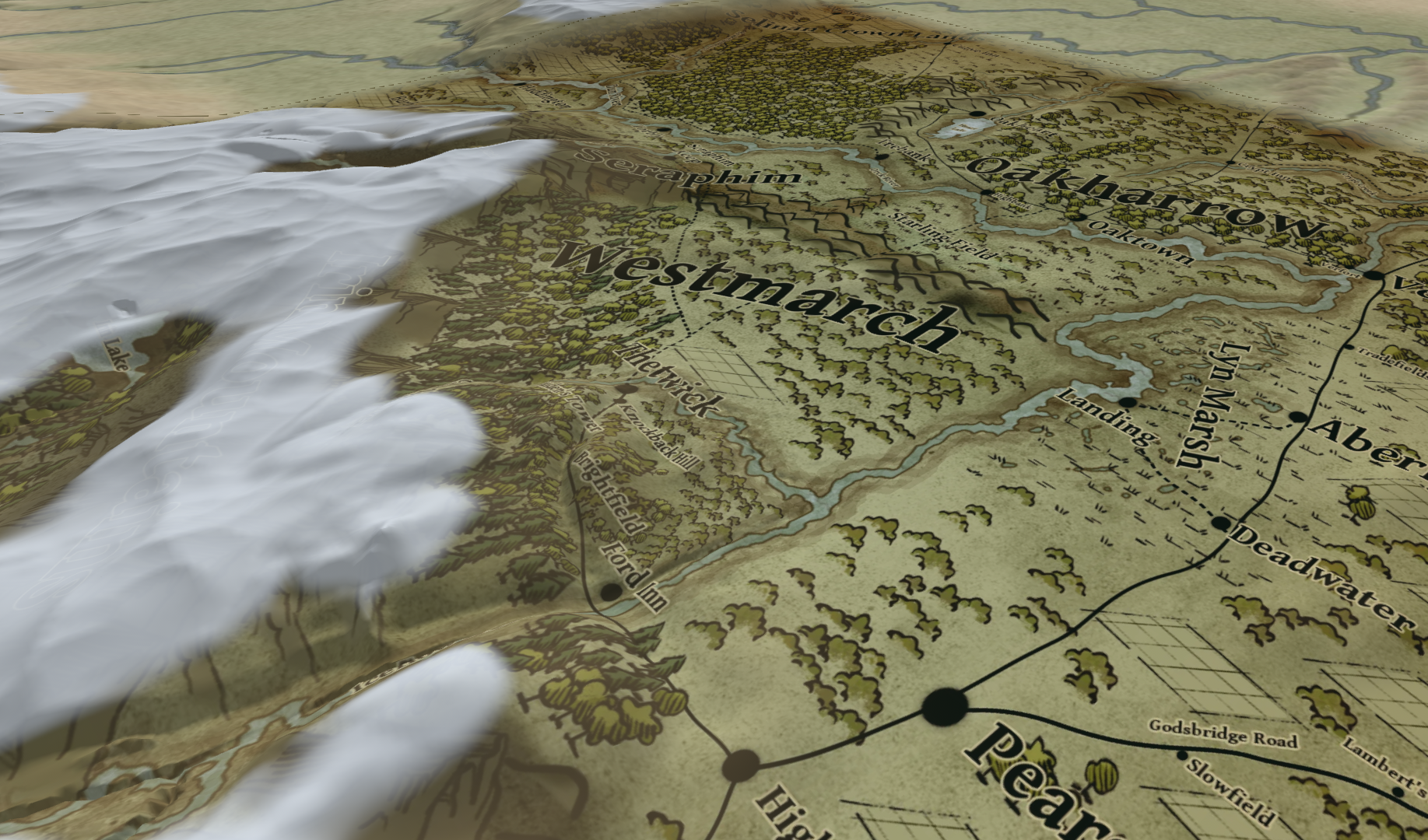
The Thetwick area (features prominently in The Half Elven Orphan), with map overlays turned on. You can see my new snow feature lays over the top of it for currently unknown reasons.
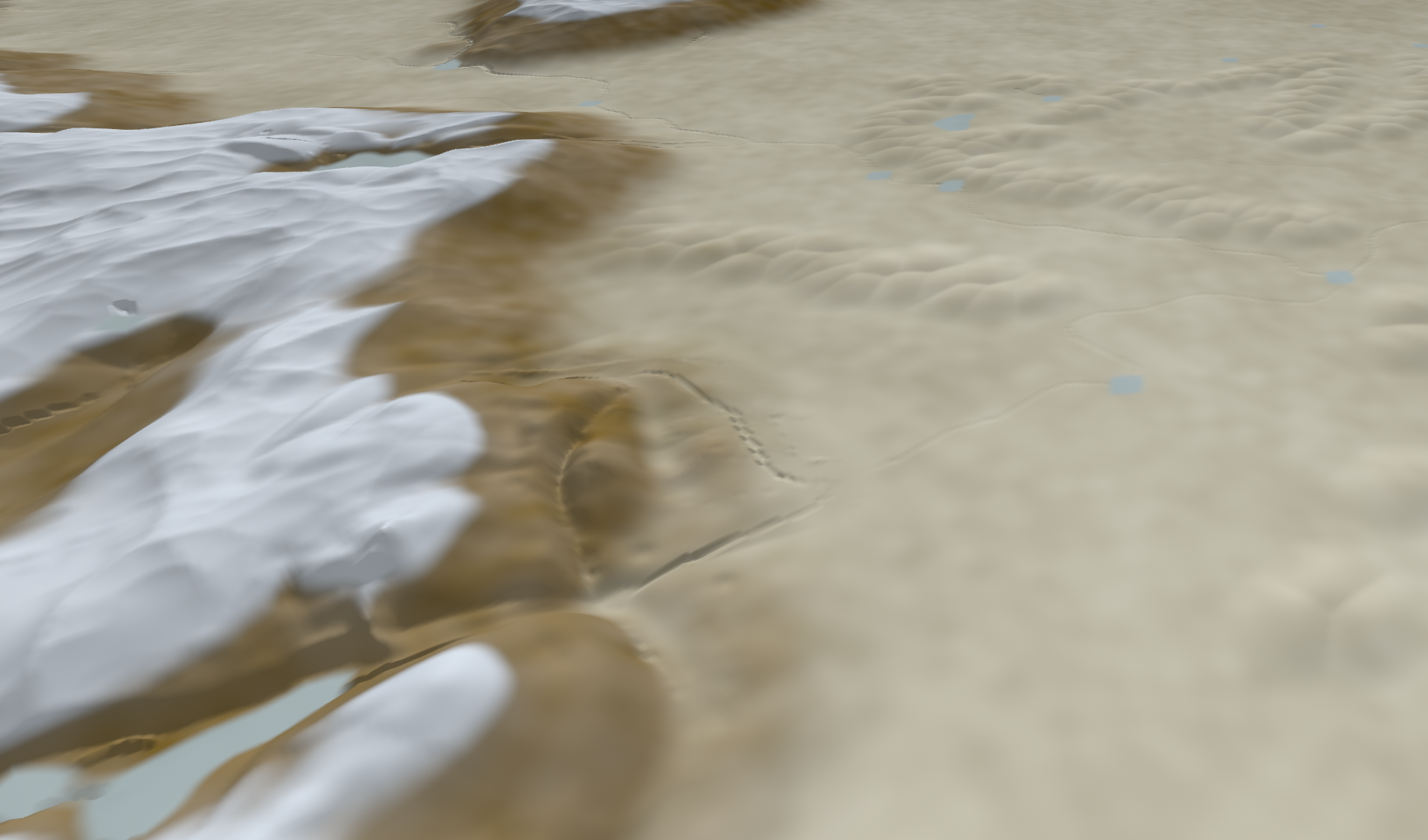
Exact same shot with map overlays off. As you can see, I’m still working on refining the brushes to be able to get natural heights. Keeping rivers flowing downhill is an interesting thing for the tool to have to accomodate.
As I’m working on this, I’m beginning to think that maybe I will be able to place buildings and plots with this eventually. Mainly I’m wondering if I can keep it usable. This now already has a two-step system where it shows the changes made immediately, then bakes it in in a background process.
More RFS
A refinement of the ‘Really Big Tank’, though I don’t think I’m finished with it yet. The ammo box on the rear of the turret is too exposes, which is going to need some work. I think I’ve settled on four or five camo styles for now, and the objective is to get them all working on all the vehicles and also to make the vehicles movable in a rudimentary way so I can make screenshots and animations.
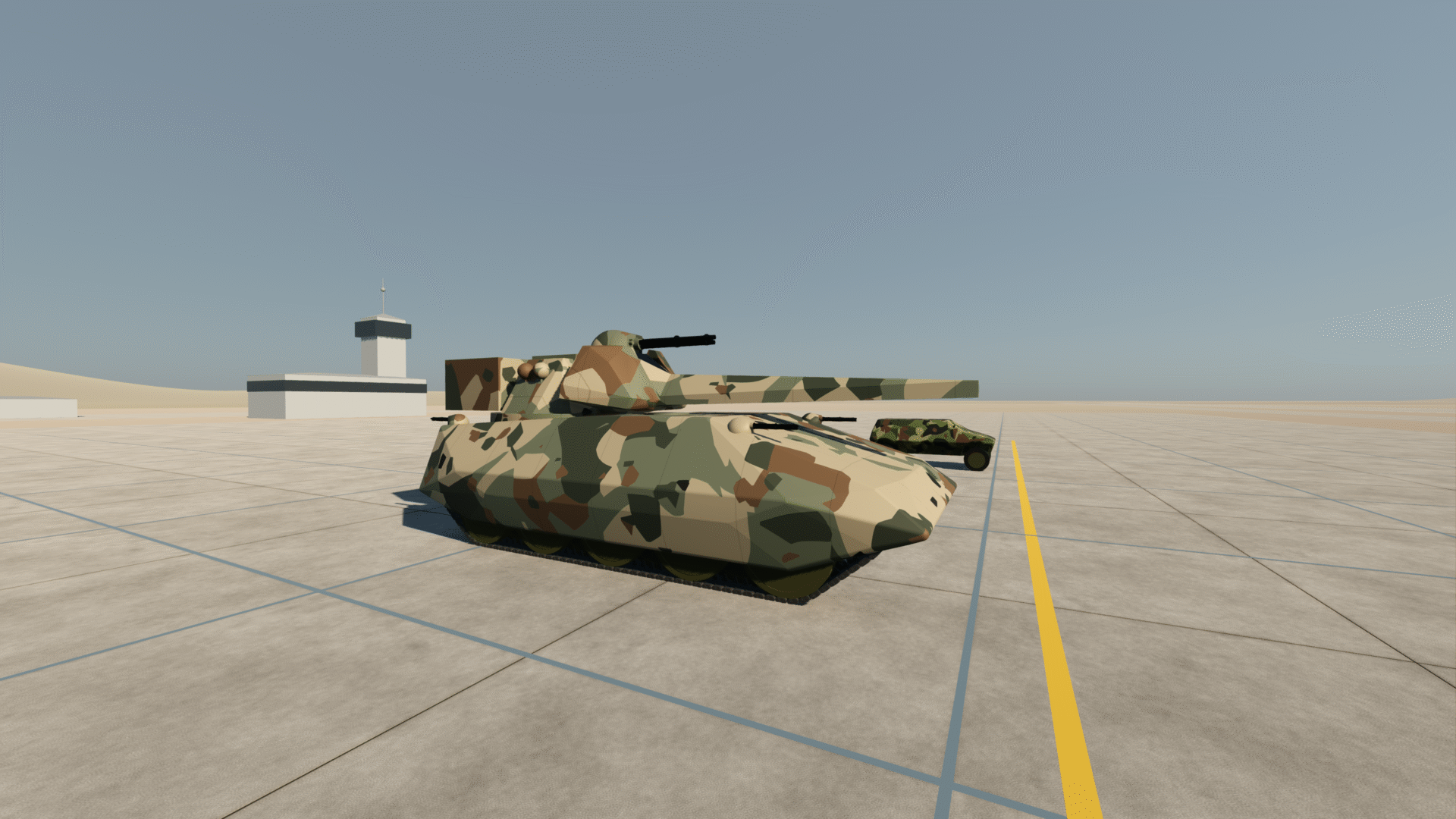
Then some shots to show the articulated gun. The idea is that the range of motion for the gun is so large that the vehicle can fullfill AA and Artillery roles to a far greater extent than a more conventional design. Of course, this thing is also 12m long and 5m wide, weights 300 tonnes and can fly (see emdrives SPOILERS).
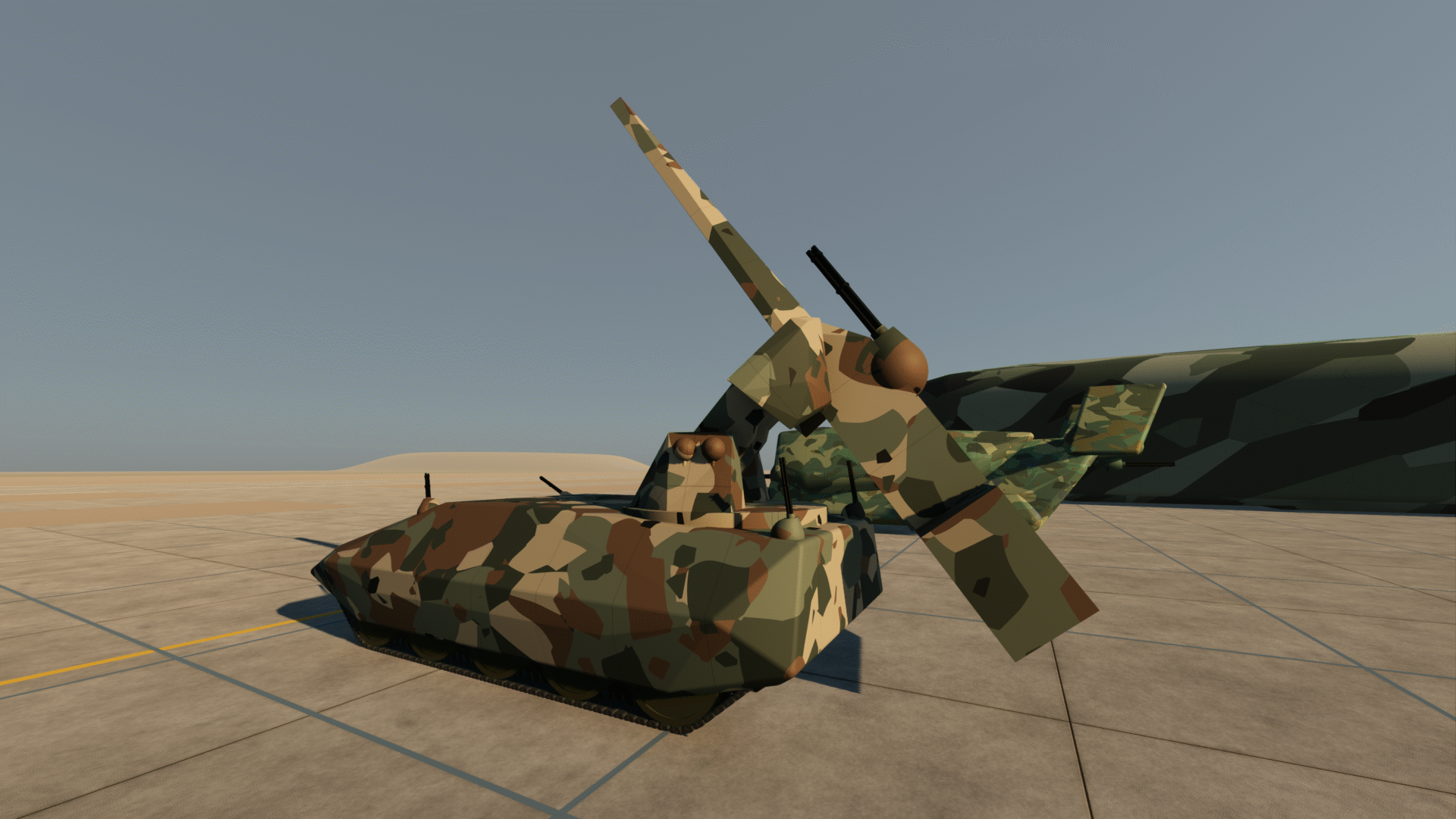
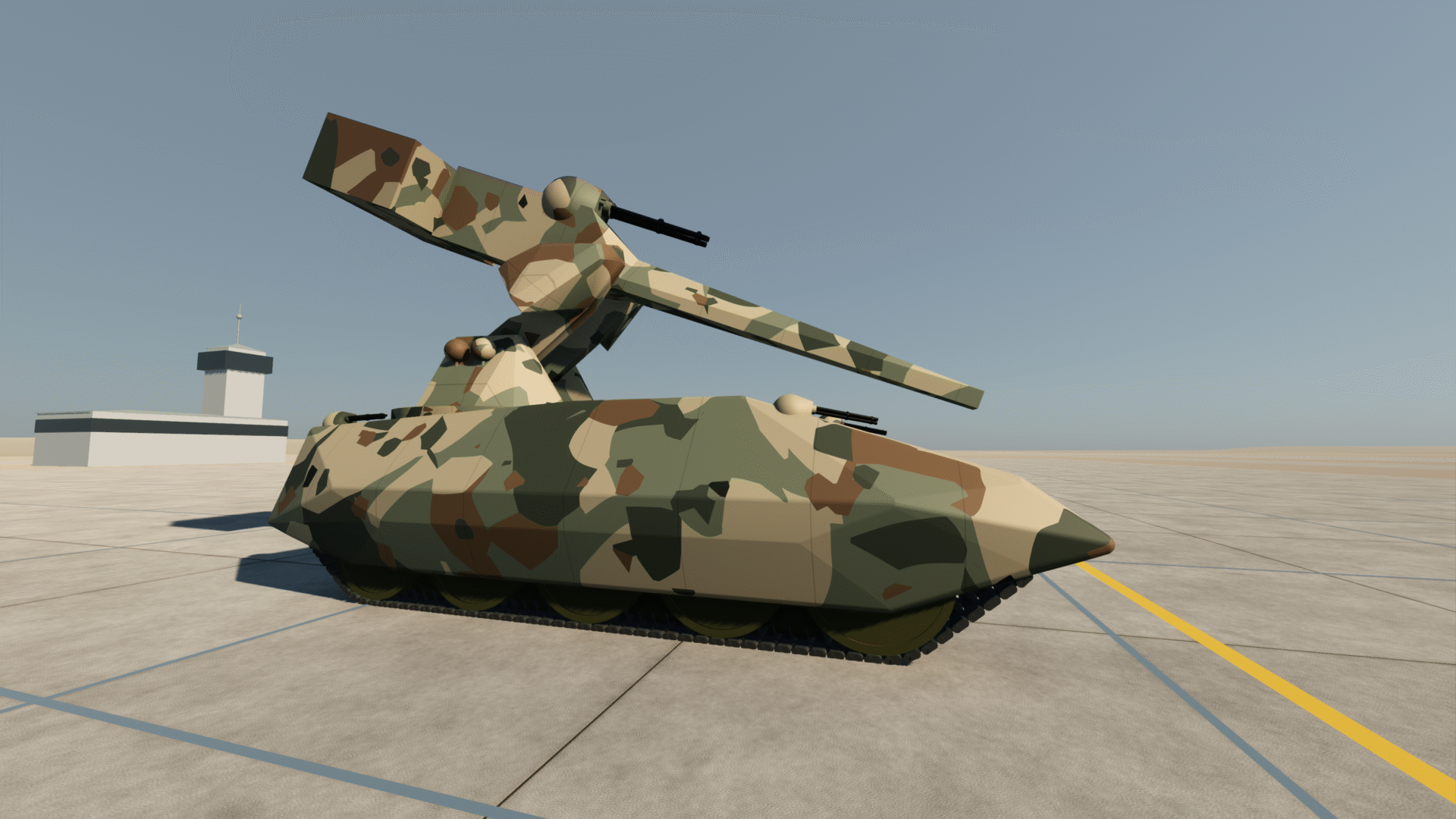
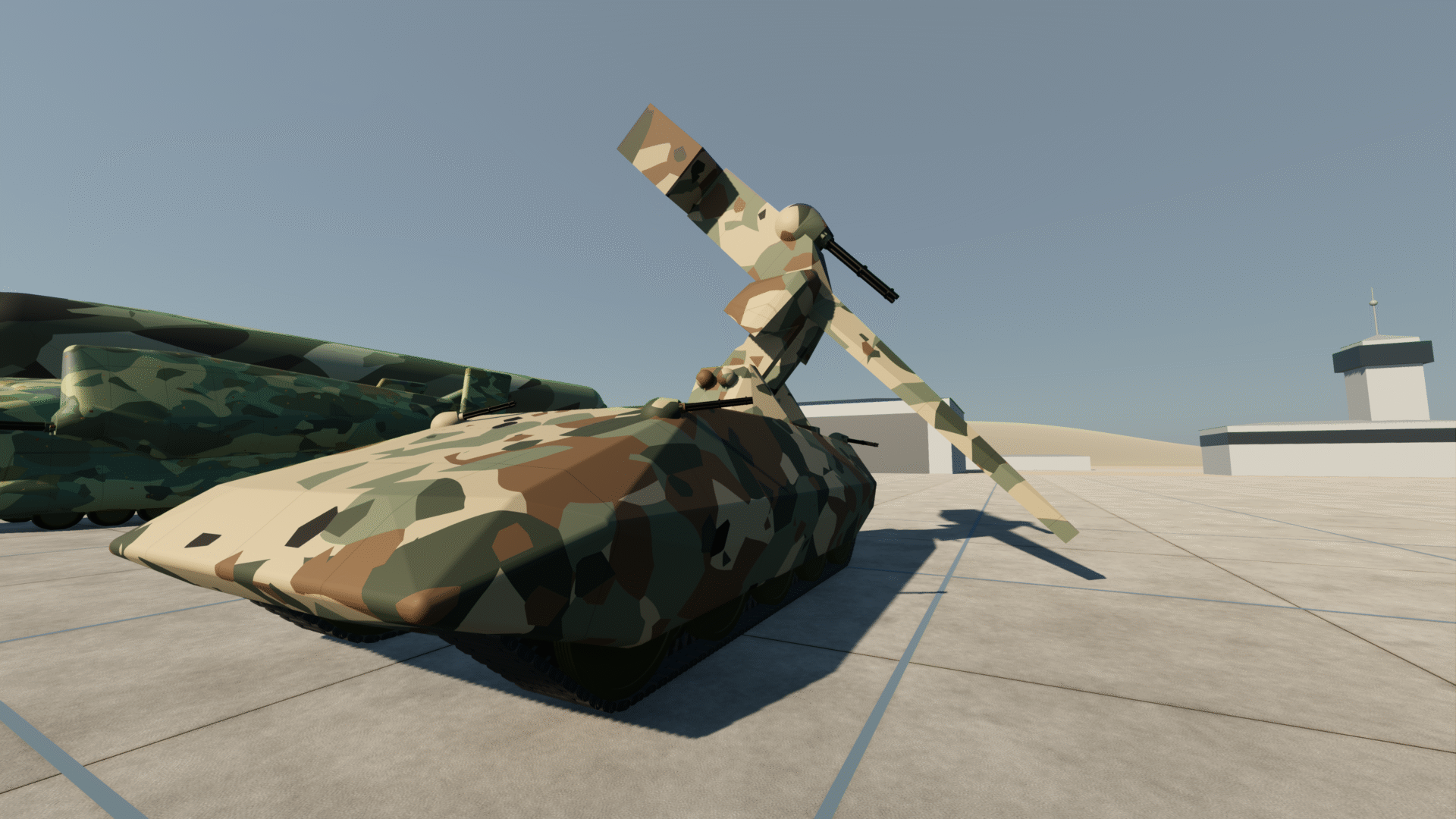
I think this vehicle only really starts featuring in book III, so I’ll publish the name and specs when that is out. I’m still struggling with the edit of book one, so don’t hold your breath.
For those who missed the last few posts, this is a screenshot taken with the photomode in my Godot tool. The model was drawn in OpenSCAD and then imported into Godot through Blender, using Claude Code for the drudge work.
Wormhole Layout in Godot 4
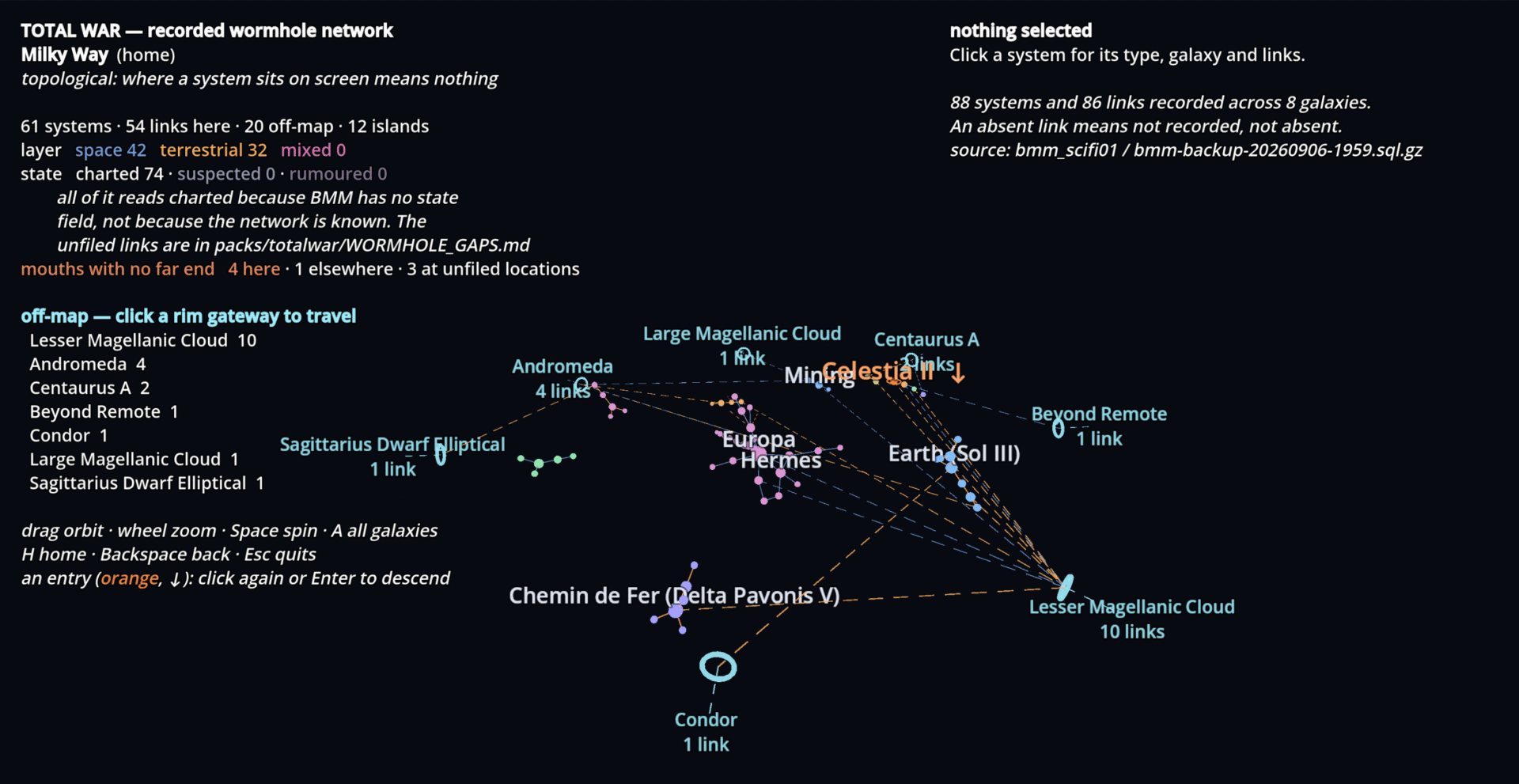
Parallelto my project to get Tales of Vatan worldbuilding data into Godot 4, I’ve been doing the same with my Total War setting. Top level here is a map of the wormhole network. Goals are more or less the same as for Vatan, with the addition of Wormholes and a means of working out travel times through wormholes and systems.
Below is the top-level overview, the wormhole network in the Milky Way. Early days, but I’ve wanted this kind of graphical representation for a very long time. I never had the time to teach myself proper Godot, but with Claude Code assistance it’s far less time consuming.
Vatan in Godot 4
I’ve long wanted to get a lot of the data from my settings into a 3D engine. Ideally I’d eventually like to edit maps directly on a globe, including things like defining elevation roads, rivers, towns and whatnot. When I grow up, who knows, I may have a bunch of the work done for a game already too.
I’ve chosen to work in Godot 4, it’s open source and I’ve supported it in the past. Guess the idea of leaving the IP of the basis for you 3D program in the hands of someone else just never seemed like a good idea to me.
Since I have never had time to actually sit down and learn everything I needed to build something in an engine like Godot, Claude Code is somehting of a godsend for me. I know what I want and how I want it, and I do have some experience programming. I’m finding that with that basis, getting Claude to do the drudge work is saving me massive amounts of time.
Below is the first thing that I might call a result. My master map of Vatan projected onto a globe of the dimensions I defined for the planet. Vatan is very hot round the equator and very cold at the poles. It’s far larger than earth, but it’s core is less dense than Earth’s Iron core, so gravity is about the same. There’s about an Earth’s worth of habitable climate in each of the hemispheres.
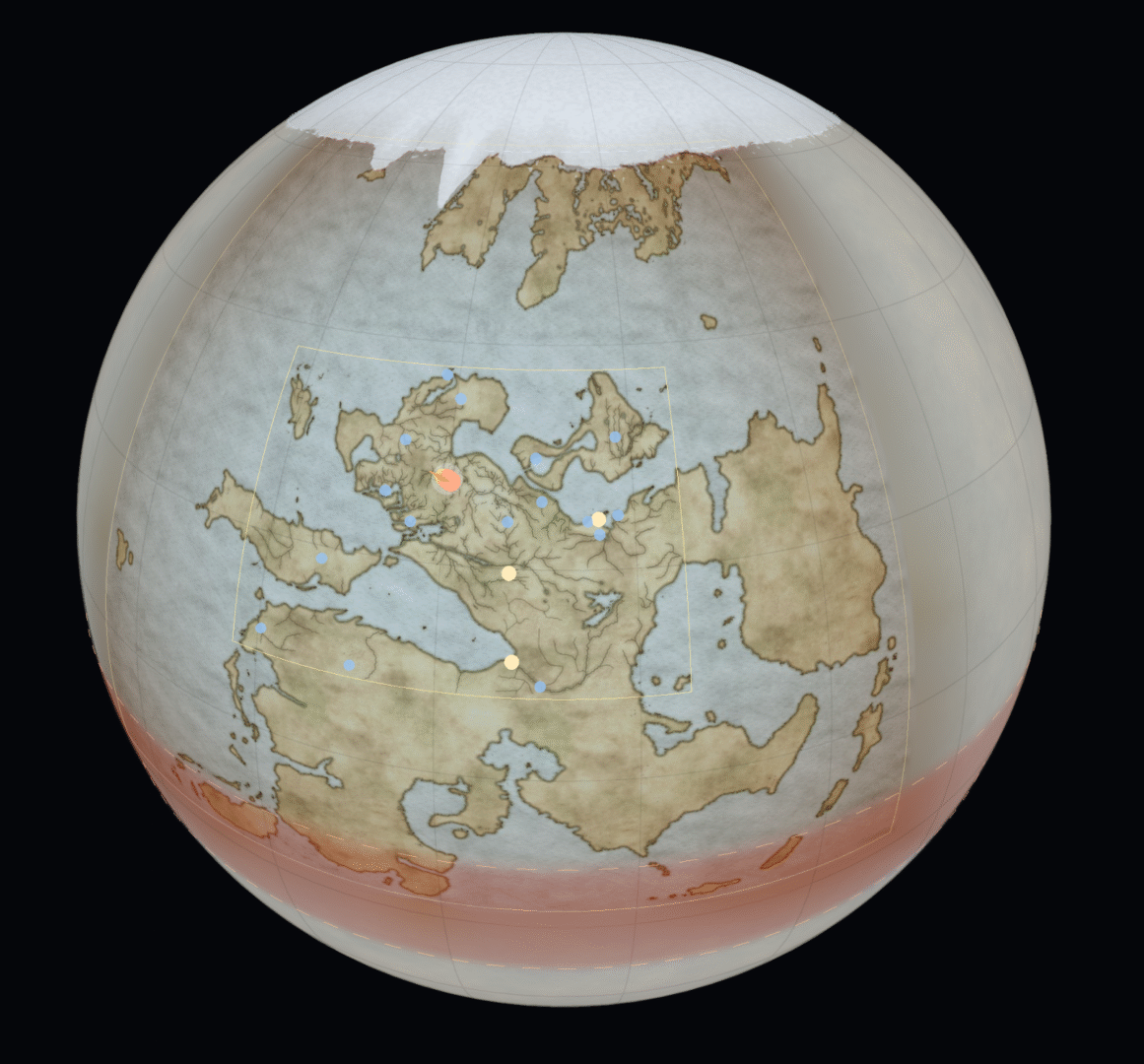
I’m going to put the moon in, and simulate rotation which will give me time differences and all sorts of other detailed goodies.
Someday I’d like to release a RPG setting for Tales of Vatan, and to me personally a tool that will tell you when sunrise and sunset is something that would make a setting feel far more alive. To me, using these kinds of tools to get the physics of a world right makes it much more alive.
Next step is analysing all the other materilal I already have getting it into the engine, and building mapping tools to be able to extend the map detail in the 3D engine. I also want to give things a live link to the database, so that sites described there are linked to places on the 3D globe. Godot is a game engine of course, so I’m also trying to make a scene for Thetwick, just as a test. Not nice enough to show anyone yet, but something else interesting to explore.
The Book Making Machine
I’ve had some questions about the nuts and bolts of how I write. An important part of it is ‘The Book Making Machine’ or BMM. I’ve added a page describing what it is and does.
The Book Making Machine